ALPHA CENTAURIP L U G I N S
EN
EspañolEnglish简体中文Português (Brasil)

REVERB 33 / REVERB VOCAL

REVERB 33

Space around the voice.

Blend vocal reverb with ducking, transposition and approximate formant processing. A five-second local analysis suggests mix settings for review.

v0.3.0 · macOS 12+ · Apple Silicon / Intel · AU

Join the waitlist ↗How to install ↘

Waitlist open · Downloads at release

DOCUMENTED BUILD · v0.3.0

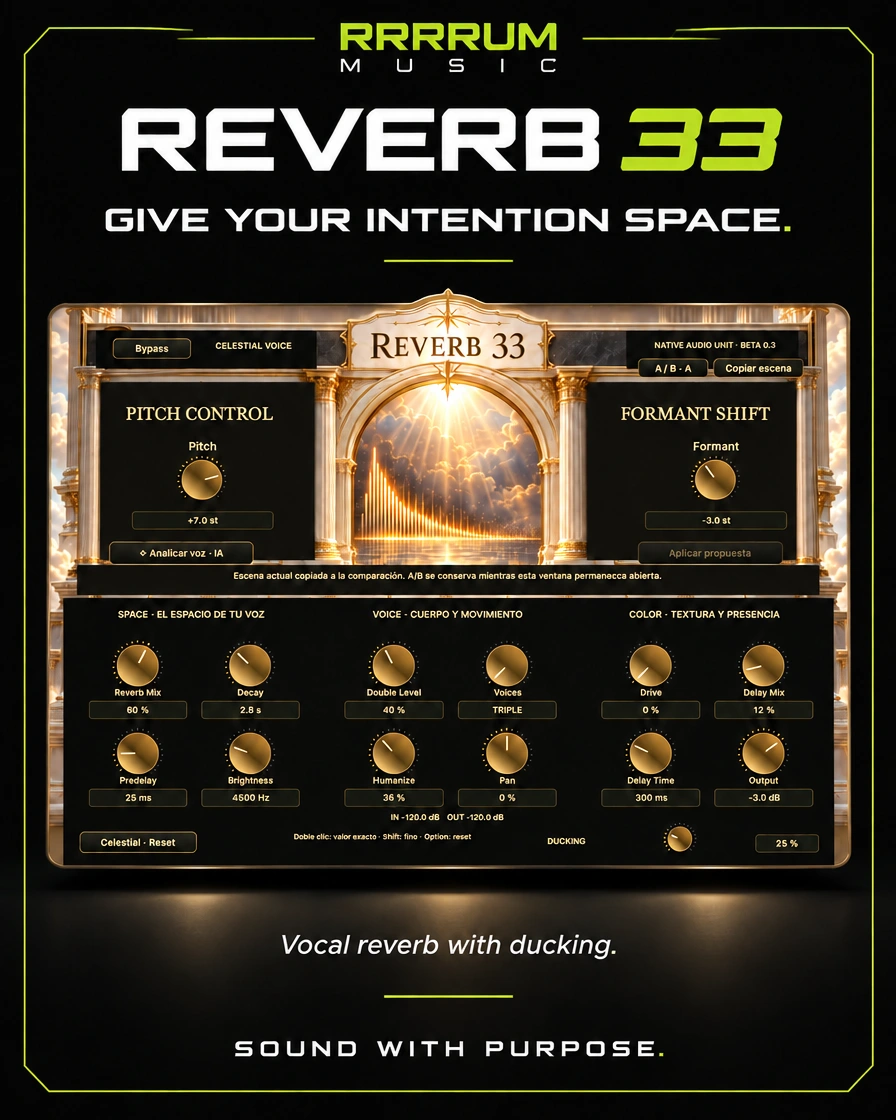
RRRRUM Music campaign banner for REVERB 33
RRRRUM MUSIC / REVERB 33

OVERVIEW / Space and Multi-Effects

Vocal reverb, ducking and creative color

It combines vocal reverb with ducking, transposition and approximate formants. A five-second local analysis suggests mixing adjustments that you can review before applying.

Explore the usage flow, controls, and specifications of this version before choosing it for your session.

User manual v0.3.0 · Source page 1 ↗

FEATURE HIGHLIGHTS

Key features

03

Reviewable local proposal

Voice analyzing uses Apple's local SoundAnalysis classifier and mixing rules; applying proposal changes spatial settings, not Pitch or Formant.

User manual v0.3.0 · Source page 2 ↗

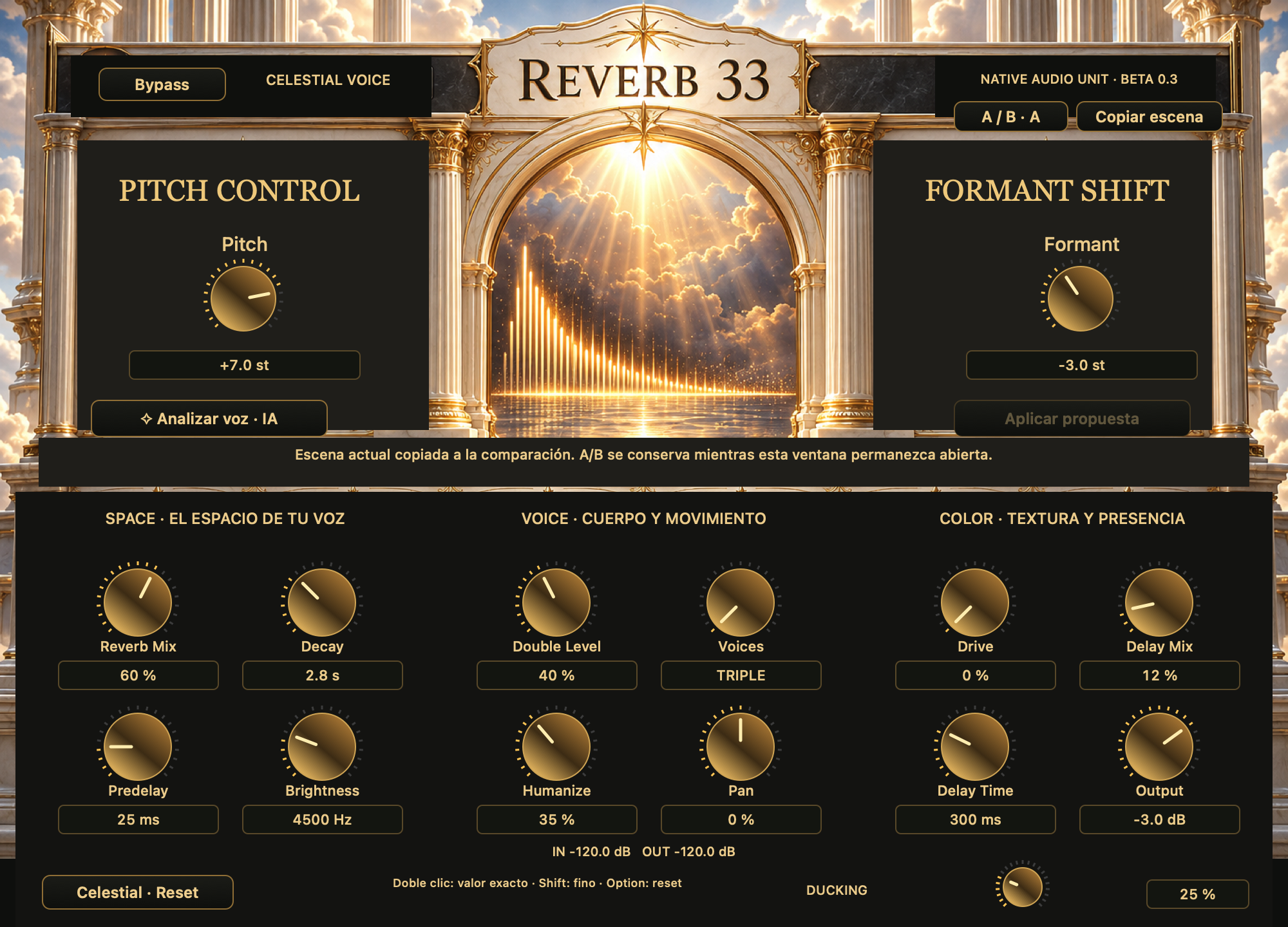
The interface is implemented

Plugin interface

See full size —
Documented interface of REVERB 33 v0.3.0
Capture of the implemented editor included in the catalogue. It's not a Logic capture. The image is a static capture of the product.

How to Start

Quick start

User manual v0.3.0 · Source page 2 ↗
  1. 01

    Insert REVERB 33 into a voice and adjust the amount of space.

  2. 02

    Adjust decay, predelae and ducking with numeric values or knots.

  3. 03

    If you need it, look at five seconds and review the proposal.

  4. 04

    Compare A/B and monitor peaks and channel compatibility.

  5. 05

    Keep the active set in the Audio Unit state.

CONTROLS GUIDE

Control guide

User manual v0.3.0 · Source page 2 ↗
Reverb / Decay / Predelay / Ducking
Space and voice feedback behavior.
Pitch / Formant
Transposition and approximate remapping of the envelope.
Voices / Double Level / Humanize
Single, Double or Triple and layers control.
Analyze voice / Apply proposal
Captures five seconds and proposes re-verifiable adjustments.
A/B / Copy scene
Alternatives during the editor opening.
In / OUT / PEAK
Peak of the last block in dBFS; not calibrated VU meters.

TECHNICAL SPECIFICATIONS

Technical specifications

macOS 12 or later; Apple Silicon and Intel; AUv2. The documented installer is customized for the original Mac, not a general distribution.

User manual v0.3.0 · Source page 2 ↗
The format
Universal AUv2, arm64/x86_64.
Latency
2048 samples; approximately 42.7 ms at 48 kHz.
Parameters
15, compatible with previous statements of 13/15.
Pitch / Formant
±12 semitones; approximate forming elements.
Analysis
5 seconds of input; local sound analysis from Apple.

The next step is to

Known limitations

  • Pitch is transposition; it doesn't adjust tuning to a scale.
  • It does not include Freeze, multiple engines, note editor, de-esser or automatic tempo sync.
  • The central graphic is decorative.
  • A/B does not keep two separate scenes within the project; the active fit is retained.

The 0.3 was verified on a test host; interactive session on Logic and extensive listening with real voices outstanding.

Keeping and Continuing

Compatibility

Audio Unit keeps the set active. Both A/B alternatives last as long as the editor remains open.

Please see the original installation manual, package signature and license notices for this delivery. Compatibility and validation vary by product.

ALPHA CENTAURI / MACOS

How to install

  1. Save your project and quit your DAW before installing or updating.
  2. Unzip Reverb-33-0.3.0-macOS-Universal.zip and copy REVERB 33.component to ~/Library/Audio/Plug-Ins/Components/. In Finder, choose Go → Go to Folder. Create the folder if needed.
  3. Reopen your DAW and find REVERB 33 as an Audio Unit. If it is missing, rescan it in your DAW’s plug-in manager.

Use the ZIP on this page. The .pkg described in the original manual was configured for one Mac.

This package is not notarized by Apple. If macOS blocks it, read the system security notice before proceeding.

Technical documentation

User manual

REVERB 33 · v0.3.0 · English

Translated edition with the original interface captures.

Read the manual online

Translated text organized by original page.

Source page 1
REVERB 33 User manual · v0.3.0 Reverb vocal effect with ducking, transposition and approximate formants; classifies audio locally and proposes verifiable mixing adjustments. macOS 12+, Apple Silicon and Intel. The vehicle is not equipped with a V-V2. Scope of this version Pitch is transposition, not scale tuning. Central decorative graphic. No Freeze or multiple engines. Custom installer for this Mac. Capture the implemented editor; it's not a capture of Logic.
Source page 2
Operating guide This is a list of the countries of the European Economic Area. Save your project and shut Logic down completely. Open REVERB33-0.3-This-Mac.pkg and follow the steps. It's a custom installer for the user's plugins folder on this Mac, not to distribute on other computers. Then open Logic > Audio FX > Audio Units > REVERB 33 > Celestial. If BETA 0.2 appears, explore the plugin again in Logic Module Manager and restart Logic. The plugin in use during development was not replaced to preserve your open session. New controls Double click on any barrel: select your numeric field. Type the value and press Enter, or change the focus to apply it. You can also edit the field directly under the beam. For example: 42,5%; 300 ms; 2.8 s; 4500 Hz or 4.5 kHz; -6 dB; +7 st. Each control uses its actual unit: percentages, seconds, milliseconds, Hz, dB or semitones. It doesn't turn everything into percentages. Voices supports 0/1/2 or Solo/Double/Triple. Double Level and Humanize require Double or Triple to be heard. Out-of-range or invalid values are rejected and the previous adjustment is retained. Drag the bead up/down to change. Keep Shift during drag for accuracy. Option+click resets the initial value. Pan acts on stereo output; he does not panorama a monkey instance. Automation publishes drag start/finish gestures and numerical edits to the host. DISIGN AND FUNCTION Metal beads with quantity gradations, legible value fields and buttons with consistent golden aesthetics. A/B: Copy the scene keeps the current scene as an alternative. Switch controls and A/B pulse to alternate between the two sets of values. They are kept as long as the plugin window remains open; they are not saved as two separate scenes within the project. The active set is normally kept with the audio unit status. IN/OUT indicators: peak level of the last block in dBFS; PEAK if the output exceeds 0 dBFS. They're numerical indicators, not calibrated VU meters. Bypass synced to the host state. PITCH, FORMANTES and AI Pitch: continuous transposition ±12 semitones, not automatic tuning by scale. Formant: approximate remapping of spectral envelope, ±12 semitones equivalent. It can produce artifacts in extreme settings. Voice analyzing captures five seconds of input when playing Logic and runs the pre-trained SoundAnalysis classifier from Apple locally. It shows a category and its confidence; mixing suggestions are criteria designed by We're going to be on that classification and level. Press Apply proposal to change reverb, decay, predelay, ducking and output. It doesn't change Pitch or Formant, nor does it guarantee a better mix. You can cancel the listening before the five seconds are over. No audio is sent to servers. MacOS 12 or later. Universal binary arm64/x86_64; tests performed on M2 Pro, Ventura 13.4.1. Intel compiled without proof in Intel hardware. 15 parameters, compatible with previous 13/15 parameters states. 2048 sample latency, declared to the host (42.7 ms at 48 kHz). Local ad hoc signature, notarized or commercial developer ID. The central graphic is decorative. It does not include multiple reverb engines, note editor, de-esser, freeze or automatic tempo synchronization. Verification of this version Native test host, directly loading the candidate component without touching the plugin in use by Logic: - 15 value fields connected to audio parameters. - Double-click path verified with test event.
Source page 3
- Decimal comma, units, invalid inputs and limits. - A/B comparison preserves and recovers both sets. - Meters receive real input and output signal. - Native pitch +12 produces approximately 880.68 Hz from a 440 Hz signal. - Five-second capture and local inference from Apple work. - Cocoa interface rendered and revised. Version 0.2 passed Apple's; version 0.3 was verified on the test host. No interactive test of the 0.3 within Logic or extensive auditory evaluation with real voices has been completed.
PDFREVERB 33User manual / v0.3.0

3 pages · Original document