ALPHA CENTAURIP L U G I N S
EN
EspañolEnglish简体中文Português (Brasil)

EEMENT 33 / Saturated and Answered

UMBRAL

Find the breaking point.

Explore Silk, Iron and Spark with transient response, memory and parallel blend. CROSS interpolates between two settings banks.

v0.1.0 · macOS 12+ · Apple Silicon / Intel · AU

Join the waitlist ↗How to install ↘

Waitlist open · Downloads at release

BETA · v0.1.0

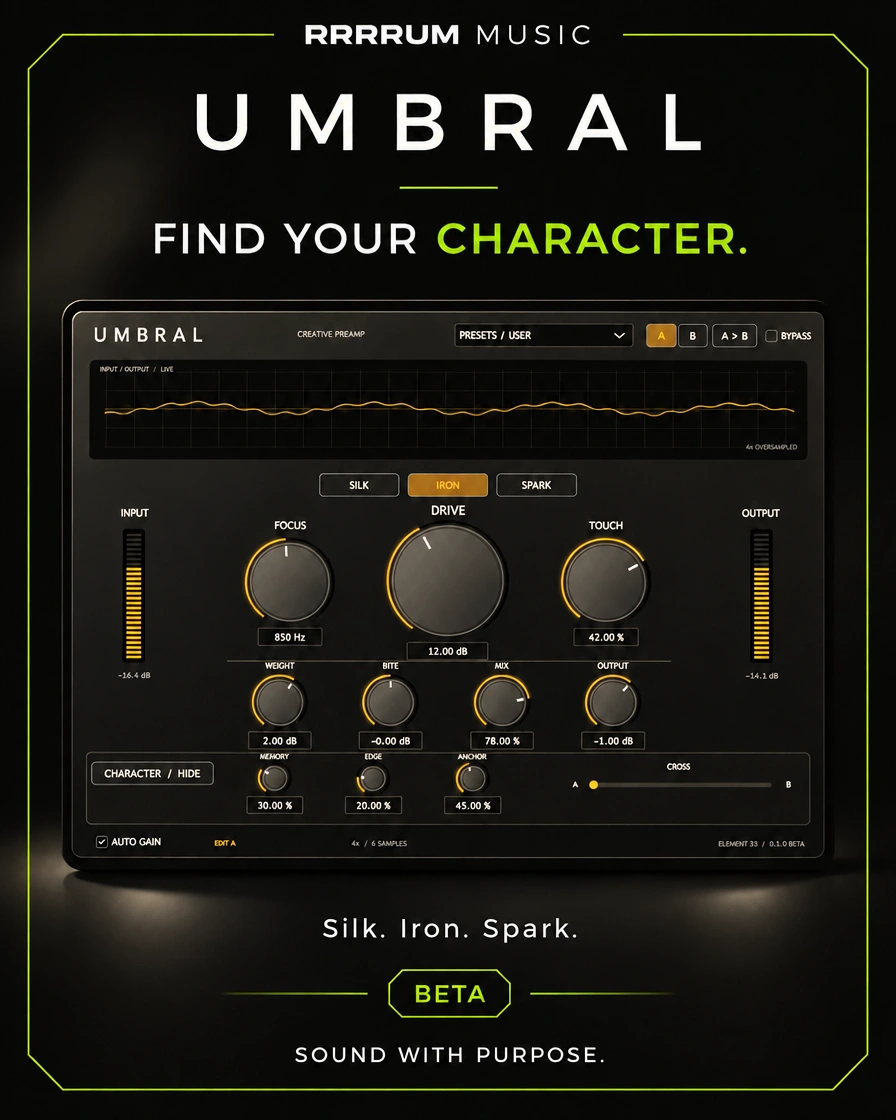
Campaign banner of RRRRUM Music for UMBRAL
RRRRUM MUSIC / UMBRAL

Overview / Saturated and coloured

Three circuits with adjustable character

Explore Silk, Iron and Spark with attack response, memory control and parallel mixing. CROSS interpolates the values of two adjustment banks.

Explore the usage flow, controls, and specifications of this version before choosing it for your session.

User manual v0.1.0 · Source page 1 ↗

FEATURE HIGHLIGHTS

Key features

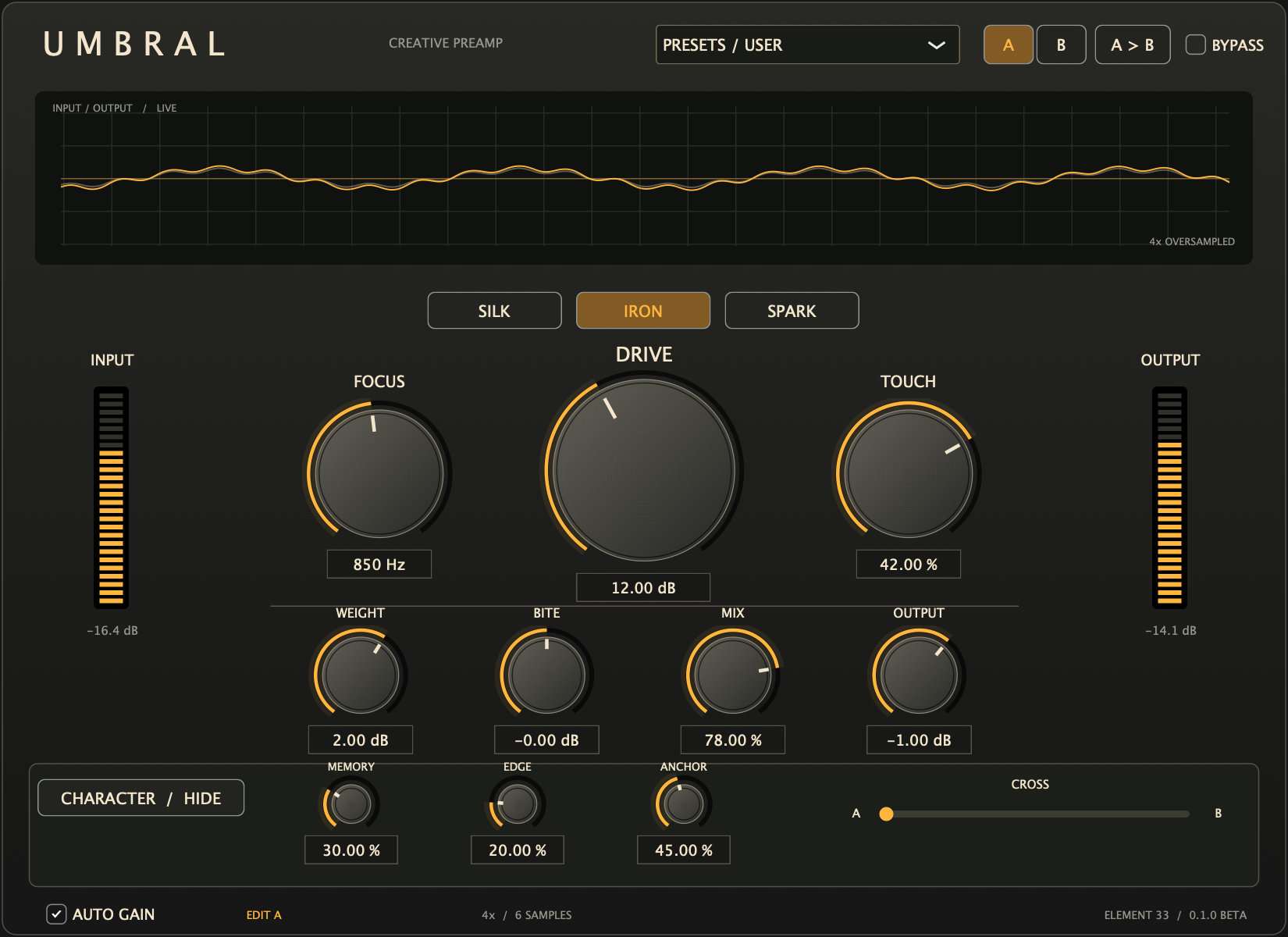
The interface is implemented

Plugin interface

See full size —
Documented interface of UMBRAL v0.1.0
Capture of the implemented editor included in the catalogue. It's not a Logic capture. The image is a static capture of the product.

How to Start

Quick start

User manual v0.1.0 · Source page 2 ↗
  1. 01

    Load the Vocal Ember preset and set the Drive.

  2. 02

    Compare Silk, Iron and Spark and decide the zone with Focus.

  3. 03

    Adjust Touch and the processed route mixture.

  4. 04

    Save two alternatives in A and B and explore CROSS.

  5. 05

    Compare the level and monitor CLIP before maintaining the adjustment.

CONTROLS GUIDE

Control guide

User manual v0.1.0 · Source page 2 ↗
Drive / Circuit
Intensity and selection Silk, Iron or Spark.
Focus / Touch
Area of arousal and response to attack or sustainment.
Weight / Bite / Anchor
Heavy before the circuit, sharp after and partial protection below 120 Hz.
Memory / Edge
Virtual power drop and character of the break.
A / B / CROSS
Ten-control banks and a mix of their securities.
Mix / Output / Auto Gain
Parallel mixing, exit from the processed route and approximate compensation.

TECHNICAL SPECIFICATIONS

Technical specifications

MacOS 12 or later; Apple Silicon and Intel 64-bit; Audio Unit.

User manual v0.1.0 · Source page 2 ↗
The format
Audio unit.
Other electrical equipment
Silk, Iron and Spark; original algorithms.
Over-sampling
4x fixed.
Memories
A/B and CROSS; interpolation of 10 controls.
Interface
1100 × 800 points.

The next step is to

Known limitations

  • It's not a measured emulation of a real team.
  • It does not include RESIDUE.
  • Cross mixes control values, not two audio signals.
  • Auto Gain does not match LUFS or limit peaks.

The UMBRAL-Interface capture corresponds to the compiled plugin; the conceptual model is distinguished from that capture.

Keeping and Continuing

Compatibility

The values of A, B and CROSS are saved with the Logic project.

Please see the original installation manual, package signature and license notices for this delivery. Compatibility and validation vary by product.

ALPHA CENTAURI / MACOS

How to install

  1. Save your project and quit your DAW before installing or updating.
  2. Open UMBRAL-0.1.0-macOS-Universal.pkg in Finder and follow the macOS Installer prompts.
  3. Reopen your DAW and find UMBRAL as an Audio Unit. If it is missing, rescan it in your DAW’s plug-in manager.

This package is not notarized by Apple. If macOS blocks it, read the system security notice before proceeding.

Technical documentation

User manual

UMBRAL · v0.1.0 · English

Translated edition with the original interface captures.

Read the manual online

Translated text organized by original page.

Source page 1
UMBRAL User manual · v0.1.0 Preamplifier for saturation with Silk, Iron and Spark circuits, response to attacks and A/B memory interpolated by CROSS. macOS 12+, Apple Silicon and Intel. AU. Scope of this version Beta of original algorithms, without measured emulation of a computer. It does not include RESIDUE. Capture the implemented editor; it's not a capture of Logic.
Source page 2
Operating guide UMBRAL – Element 33 0.1.0 BETA / Audio Unit for Logic Pro INSTALLATION 1. Shut down Logic Pro. 2. The following information is provided for in Article 2 (1) of Regulation (EU) No 1303/2013. 3. Follow the macOS wizard; ask for administrator permission. 4. Open Logic and search for Audio FX > Audio Units > Element 33 > UMBRAL. The installer automatically places the component. You shouldn't copy it by hand. Compatible with macOS 12 or later, Apple Silicon and 64-bit Intel. It is a very useful tool for the development of the computer. The package has no Developer ID signature or notarization from Apple. The binaries use local ad hoc signature. If macOS blocks the opening, use the specific authorization it offers in System Settings > Privacy and Security. Do not disable the global protections of macOS. If Logic doesn't show it, check your Plug-in Manager and explore UMBRAL again. First steps: Load the vocal ember and adjust the drive. Activate Auto Gain for approximate level rise compensation; does not equal LUFS and does not limit peaks. Silk is rounder, Iron introduces asymmetry and Spark is more rough. Focus decides which area excites the circuit most, with later compensation. Positive touch highlights attacks; negative reduces their excitement and lets sustained details emerge. Weight moulds serious before the circuit, Bite moulds sharp after. Mix mixes the processed route with the original aligned route. Output adjusts the processed route before Mix. Memory controls the virtual power drop and its recovery. Edge is leading the circuit to a more cutting fault. Anchor protects some of the bass below 120 Hz. A/B: Choose a bank to edit and listen to your CROSS end. A > B: copy the ten controls from A to B. Cross: Gradually mix the values of the ten controls, not two audio. Circuit, Auto Gain and Bypass are common to both banks. All values of A, B and CROSS are saved with the Logic project. Double-click on a barrel restores its initial value. You can write values. The graphics and meters receive real audio. The wave represents (L+R)/2; the opposite phase can visually cancel it out. CLIP indicates peaks above 0 dBFS. Bypass retains alignment with the reported latency to the program. The over-sampling is fixed at 4x. This is a first functional beta of original algorithms; it's not a measured emulation of an actual computer. The interface implements the visual concept with native controls drawn; the conceptual image is not a capture. The UMBRAL-Interfaz.png capture if it corresponds to the compiled plugin. It does not include RESIDUE. It requires space for an interface of 1100 x 800 points. The source file includes JUCE and license notices. This beta is distributed with sources under AGPL-3.0-or-later; dependencies retain their licenses.

PDFUMBRALUser manual / v0.1.0

2 pages · Original document