Translated text organized by original page.
Source page 1
VOICE 33 EQ
User manual · v0.3.0
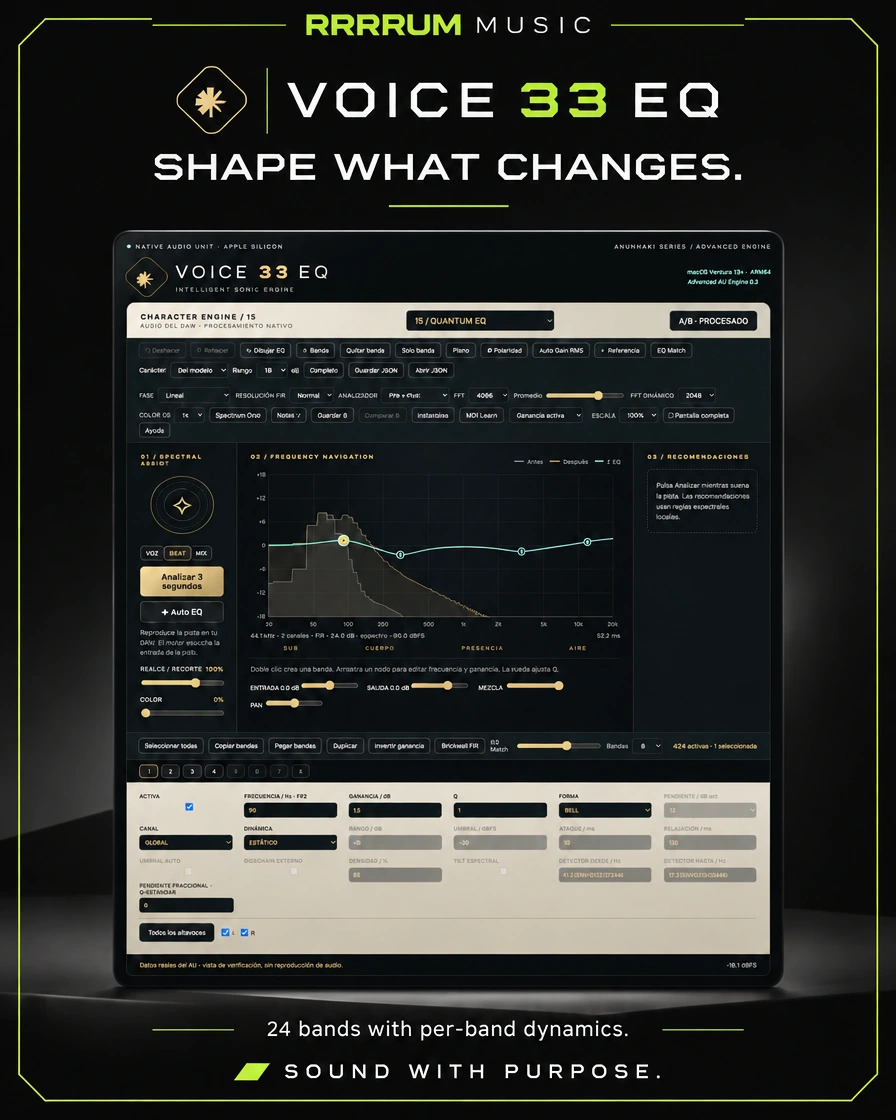
EQ 24 bands with dynamics per band, spectral dynamics, FIR filters, references, EQ Match, character profiles and editing tools.
Apple Silicon arm64, macOS 13+ and the rest of the world. AUv2; up to 16 channels per host.
Scope of this version
Own algorithms, without guaranteed equivalence to Pro-Q or classical hardware. The capture is from the panel with AU data, not a Logic window.
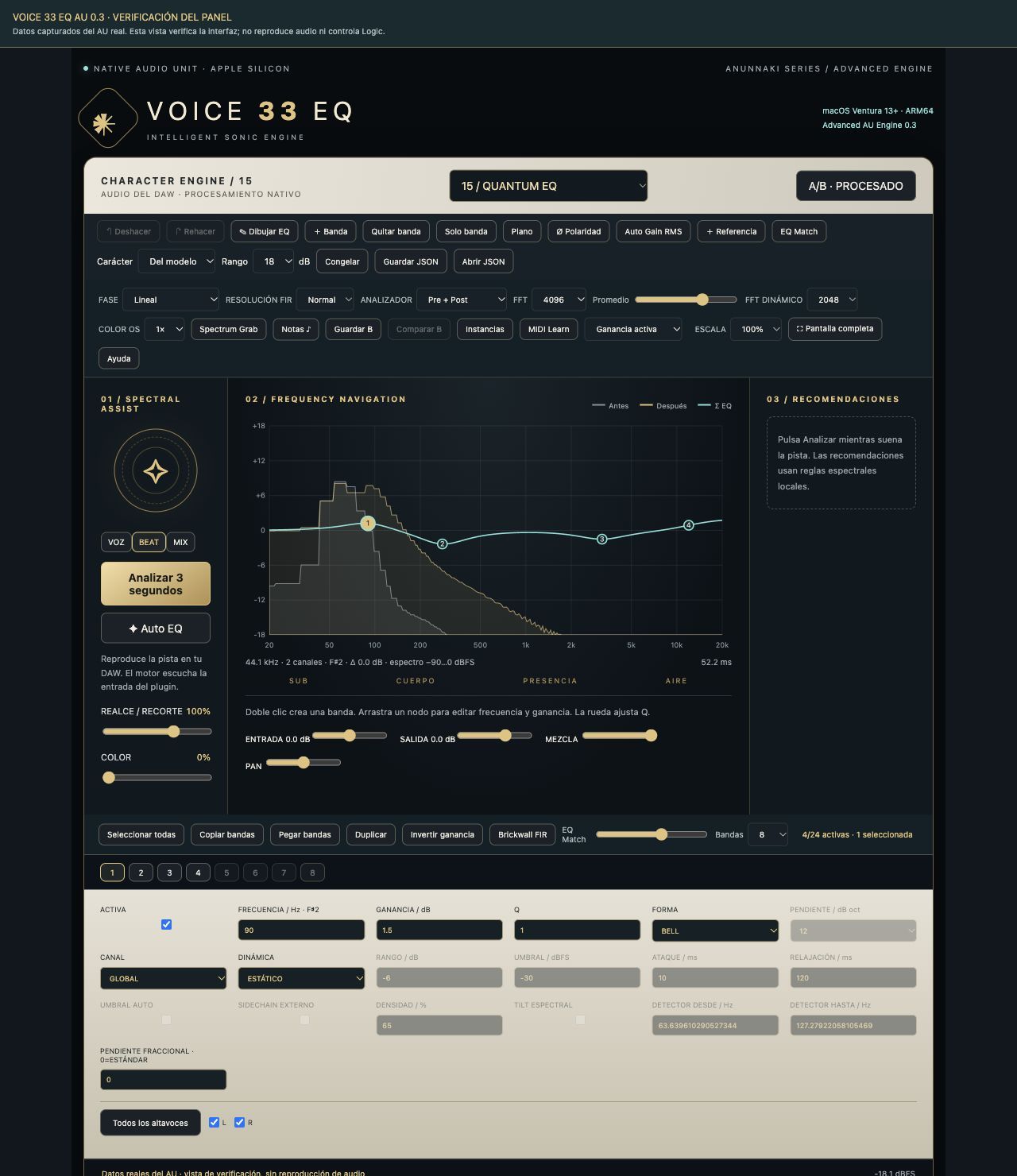
Panel implemented with AU data captured. It's not a Logic capture.
Source page 2
Operating guide
VOICE 33 EQ - AUDIO UNIT 0.3.0 Apple Silicon arm64 · macOS Ventura 13.0 or later Prepared in M2 Pro with macOS 13.4.1 for Logic Pro X 10.7.9.
In Logic: Audio FX > Audio Units > VOICE 33 > VOICE 33 EQ. If Logic was already open, save the project and reopen Logic. If it does not appear: Logic Pro > Settings > Module Manager, search for VOICE 33, and use Restore and re-explore selection. Logic was not closed or user projects were modified.
First try
1. Insert the AU into an audio track and play a fragment.
2. Select QUANTUM EQ, Clean Character and Color 0 to listen to clean EQ.
3. Add a Bell band; test a moderate accent and compare to A/B PROCESSED.
4. Select VOZ, BEAT or MIX; press Analyze 3 seconds while there is a signal. Apply adds the suggestion. Auto EQ generates its own setup.
5. Save B maintains a complete configuration. Compare B to A/B.
6. For dynamics, select Bell or Shelf and DYNAMIC EQ or SPECTRAL. Adjust range, threshold and attack. The external sidechain is chosen in Logic.
7. Save and reopen the project to retrieve parameters, reference, comparison B and panel preferences.
IMPLEMENTED FEATURES
• 24 bands, 10 shapes, up to 96 dB/oct and FIR fractional earrings.
• Brickwall FIR finite cut, tested with a rejection of more than 70 dB at the test frequency. It doesn't represent an infinite mathematical transition.
• The following is the list of the types of FIRs that are used:
• The following elements are used:
• Spectral dynamics STFT: 2048/4096/8192 samples, density and tilt.
• Mono to 16 channels; stereo, L/R, M/S and selection of speakers per band. Multichannel formats follow the order provided by the host.
• 15 original character profiles, adjustable saturation and 1x/2x/4x real.
• FFT 1024-16384, average, freezing, Spectrum Grab, notes, keyboard and real spectrum before/after.
• EQ Match with reference or instance file; band intensity and number.
• Curve drawing adjusted to parametric bands; multiple selection and editing, copy/paste/double/inverting, undo/re-do and band only.
• Instances that share audio process: search, spectra, comparison, remote editing and spectral matching zones.
• MIDI Learn by CC: MIDI of the host or CoreMIDI inputs connected to the Learn pulsar.
• Automation of AU and ramps; factory presets, JSON and project saved.
• The following information is provided for in the Annex to Implementing Regulation (EU) No 1303/2013:
• Panel scale, full screen and integrated support.
LATENCE AND RECURSES The linear phase, natural FIR, slopes that need FIR, spectral dynamics or oversampling add declared latency to the host. Conventional dynamics with FIR uses an additional spectral stage. Choose phase and resolution before recording; changing topology needs to fill in new filters. For recording, use minimal phase, standard earrings, conventional dynamics and 1x color. High FIR + 16 channels consume more resources: no quantity is certified
Source page 3
arbitrary simultaneous instances. The analyzer works when requested.
TRUEBAS-AU.txt: 47 approved tests on the installed component. Includes actual audio generated, gain, impulse/latency, all 1-16 channel sizes, sidechain/dynamic, linear phase, dynamic cut overlap, MIDI, automation, state and concurrent phase/resolution changes. TRUEBAS/MEMORIA.txt: the same 47 approved tests with AddressSanitizer plus UndefinedBehaviorSanitizer, with no errors detected in that execution.
AUVAL-VALIDACION.txt: Apple auval -strict -stress 10, version 0.3.0, AU VALIDATION SUCCEEDED. One warning: MIDI reception is exposed inside an aufx effect; Apple prefers aumf for MIDI-controlled effects. The plugin retains aufx so it can be inserted normally in Logic’s Audio FX. The local ad hoc signature was verified. Apple has not notarized this distribution.
The panel review was done in a browser with data captured from the actual AU. QA/PANEL-AU.jpg is NOT a capture of Logic. The app control service was not available: you need to manually check the window and a music session within Logic 10.7.9. The tests do not guarantee the absence of all errors or certify all format/project combinations.
This software incorporates functions from the same families, with original algorithms. It's not Pro-Q 3/4 nor does it contain its modules, code or licenses. Natural FIR, dynamics, spectral, EQ Match and curves differ from FabFilter. The 15 models are self-profiles; they are not full emulations measured from the 15 reference equipment. The assistant uses local spectral rules, not a neural network. Listen to every suggestion before you keep it. The instances are communicated only within the same process; no guarantee is given that the
communication between isolated processes of the host. Spectral match zones do not test for perceptual masking. The curve Σ is the sum of bands, not a complete M/S/multichannel transfer matrix. Processing 9.1.6 is not the same as having a Dolby Atmos renderer.
VOICE33EQ-0.3-AppleSilicon.zip contains the signed AU for this Mac. To reinstall, extract and place VOICE33EQ.component in the indicated folder. source/ contains all code and resources. build.zsh compiles and signs a local AU using Xcode Command Line Tools, without external dependencies downloaded. The previous version 0.2 is kept on the back of previous deliveries.
 ALPHA CENTAURIP L U G I N S