Translated text organized by original page.
Source page 1
STACK X
Version 1.1.0 / Vocal harmonies following the song
It generates two layers of harmony from a main voice, with independent controls of naturalness. Estimate the pitch and chords of a base to guide the notes generated.
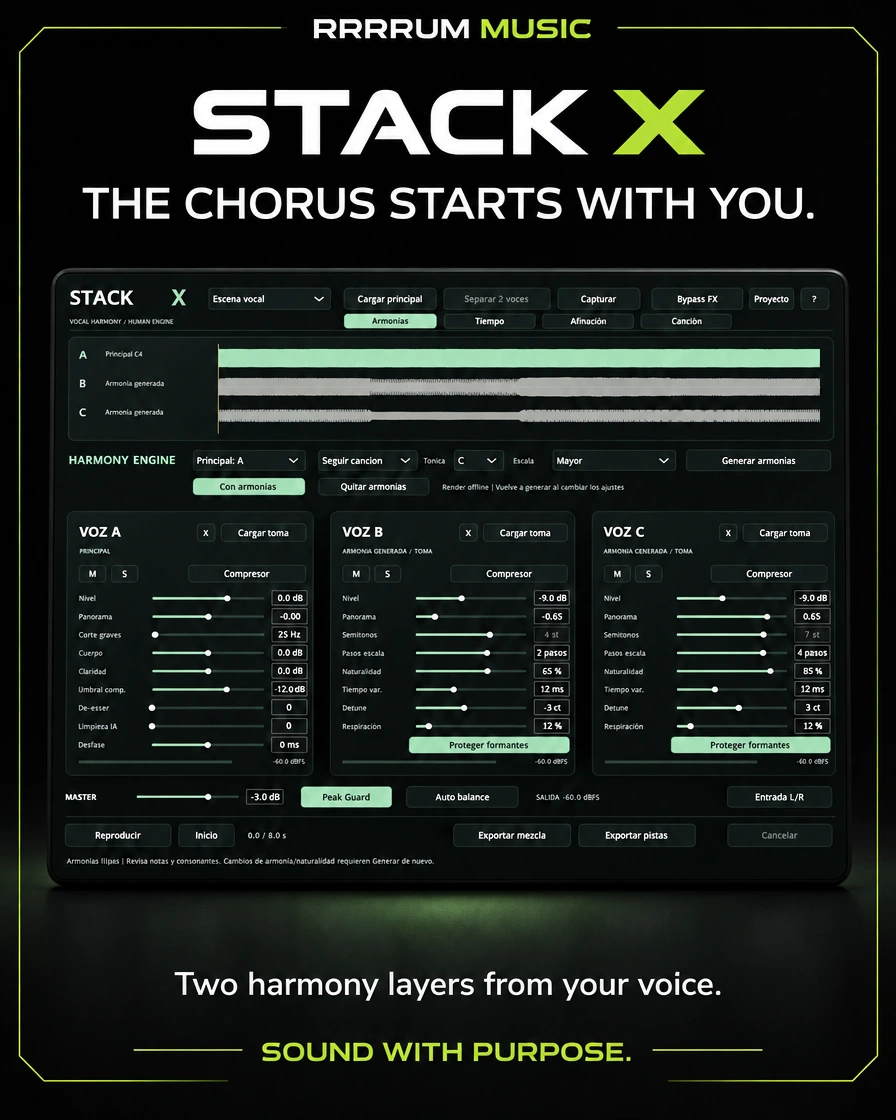
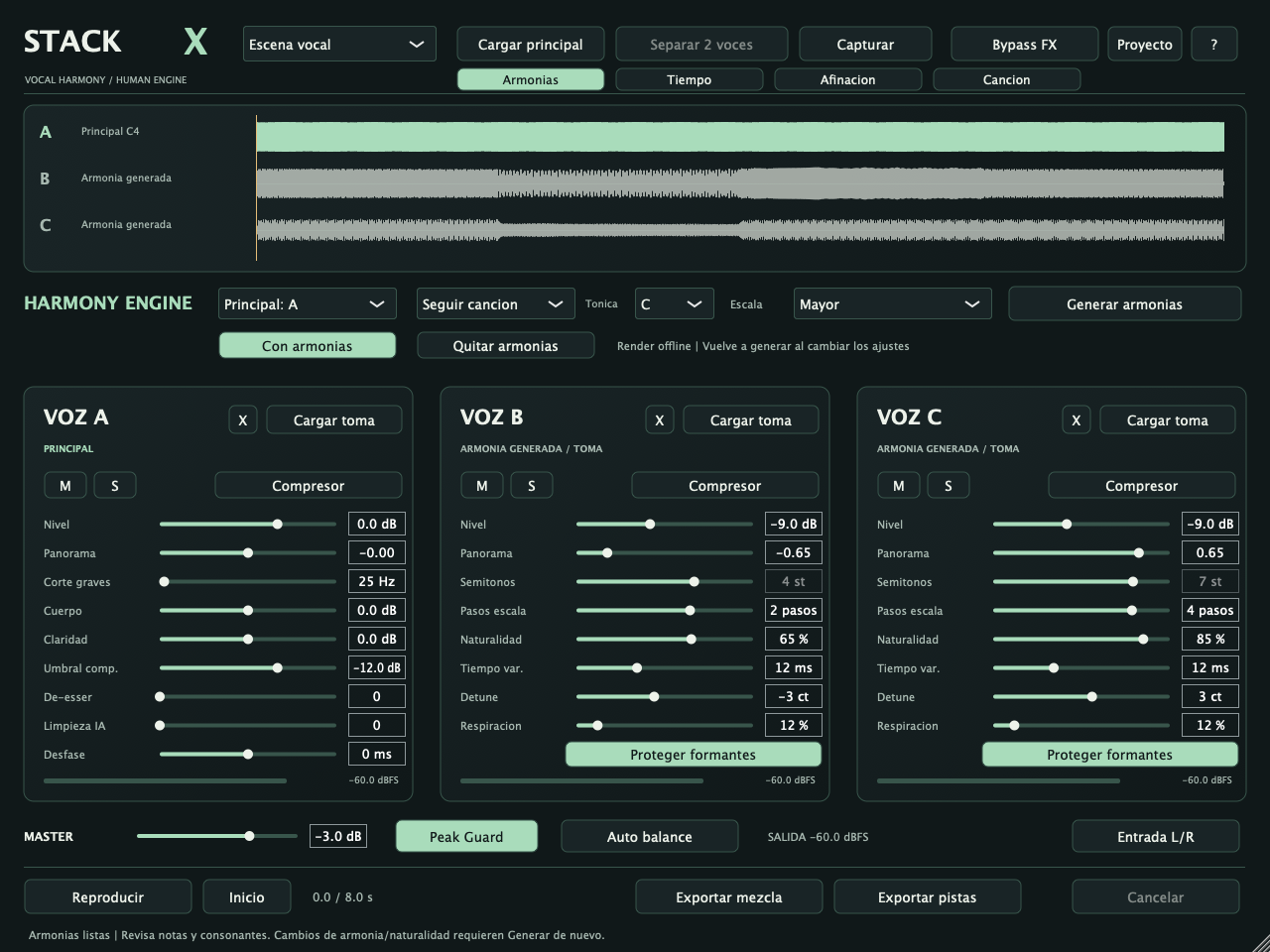
Functional native interface of this version. The data visible are test examples; the full PNGs are in Displays.
What’s included
• Harmonies by scale or by fixed semitones.
• Nature, time variation, detune, breathing and forming by layer.
• Tone/chord detection, correctable map and song follow mode.
Supporting files: the local catalogue includes complete native catches, original logos and technical manuals. Empty views show real controls; audio examples come from testing. See also the validation of this version.
Source page 2
Quick start
1. Load the lead voice and choose mode, tone and intervals.
2. In Song, load the base and press Detect tone/chords.
3. Check the map and correct root/type when needed.
4. Adjust the voice position and the naturalness of each layer.
5. Pulse Generate harmony, listen and export mix/tracks or .stackx.
Saving your work
.stackx includes takes, harmonics, reference base, map and parameters.
Before you start
It's offline generation by monophonic analysis and transposition. He doesn't clone singers or create another interpretation. Chord detection is estimated; check and correct your map.
General compatibility
Mac Apple Silicon, macOS 13.3 or later Audio Unit, VST3 and independent application. Installers do not have Developer ID signature or Apple notarization; binaries are ad hoc local signature. Local processing.
Complete operation and controls reference
INSTALLATION
Close your DAW and open STACK-X-1.1.0-macOS-AppleSilicon.pkg. Install STACK X.component in /Library/Audio/Plug-Ins/Components, STACK x.vst3 in /Libry/Audio /Plug-ins/VST3 and STACKX.app in /Applications. STACK X has its own identifiers and does not replace DUO X or NATURA X. Binaries have ad hoc signatures. The installer is not signed with Developer ID or notarized by Apple. If macOS blocks it, check the warning under System Settings > Privacy and security. It doesn't require disabling global security.
Open the DAW again and update your list of plugins if necessary. It does not include Windows, Intel, AAX or iLok support.
CREATING HARMONIES
1. Load a clean solo voice on A with main charge or take charge. You can also select B/C as the main. It supports WAV, AIFF, FLAC and additional formats available in macOS, from 0.5 to 120 seconds. Stereo audio becomes monkey; the project works at 48 kHz. Capture recording up to 60 seconds of input on the selected main.
2. In Harmonies, select Main, mode, tone and scale.
In scale: Major, Minor natural, Dorica, Mixolidia, Pentatonica major/minor.
Scale steps: 0 = unison; +1 = next note of the scale; -1 = previous. On a scale of seven notes +2 creates a third, +4 a fifth, +7 an eighth. In pentatonics, five steps form an octave; the names of
Source page 3
intervals do not equal the same number of steps on a seven-note scale.
We're fixed: -12 to +12, including negative values and unison. Only one of these two controls is in mode; the other is turned off. You can manually enter tones/scales or detect them in Cancion. Following song adjusts the harmonies to the chart of chords analyzed.
3. Set up the two target voices. Pulse to generate harmonies. The main one is preserved and two layers with the same duration are produced. Changing intervals, scale, naturalness, time, detune, breathing or forming NO change the previous rendering. Pulse to Generate again.
4. Adjust the level, the panorama, the mute and just each voice. The initial state puts the main voice in the center and the other voices at +/-65%, with -9 dB per layer. Time/Affination also show EQ, bass filter, compressor, de-esser, RNNoise cleaning and manual defase. Don't use too much cleaning in singing.
5. Listen with or without harmonies or pulse Remove harmonies. The takes recorded at the destinations are preserved, although active harmonies are given priority. The generation does not create new audio on the DAW track: it exports and imports the mix or stems to use in your session arrangement.
AUTOMATIC DETECTION — SONG
1. Open Song > Music base... > Loading music base. You can also drag the base over this dash. Admit 0.5 to 600 seconds (10 minutes). A base with clear harmonic accompaniment is better than a single voice. The base is kept as a reference monkey, not mixed or exported with voices.
2. Press Detect tone/chords. The analysis estimates a greater or lesser overall tone and a greater, lesser, lesser or dominant chord sequence 7. The detected hue is applied to Tonica/Escala if it is clear enough; if not, keep your selection so you can correct it manually. The Follow Song mode is activated when there are reliable chords.
3. Check the map. N means uncertain/without reliable chord. Press a region or select it in the selector; change root/type and press Correct chord. Corrections are marked with *. Reanalyzing replaces the map and its changes. You can also mark a region as N. There is no division/fusion or manual edition of time limits in this version.
4. Voice position is the second base that matches the start of your shot. If the voice is a cut that starts at 42 seconds from the base, use +42s. If both files start at the same musical point, use 0s. It doesn't change the vocal sound or the base. The limits are -600 to +600 seconds.
5. Go back to Harmonies and pulse to generate harmonies. In Following Song, Scale Steps defines the desired direction/height; the engine chooses a note from the chord near that height, within +/-12 semitones of the main one. It maintains the expressive deviation and applies Naturality/Detune/Formants by voice. In regions N, low strength or outside the reference range, use the selected hue. He rejects a start completely off base. Fixed semitones are still available as a map-independent mode.
6. Changing the map, base or re-analysing removes previous harmonics. Change voice position, mode, tone or voice parameters requires to generate again.
Detection is an estimate by spectral analysis and musical templates, not infallible recognition. Force 0-100 is an internal score, not a calibrated probability. The ratio of greater to lesser, investments, loans, extended agreements, tunings other than A=440, distortion, percussion and dense mixtures can confuse it. A voice with harmonies does not prove a complete chord either. Listen to the result and correct the map when necessary. The overall tone is estimated; chords can change to
Source page 4
along the base. No local tones/modulations as separate tracks are detected. The resolution of the analysis is 100 ms, with a window of about 341 ms: it does not guarantee exact limits nor recognize every rapid change. The analysis is offline.
NATURALNESS PER VOICE
Nature (0-100%): soft and independent variations in tuning, volume and time; does not generate a different singer or new interpretation. Time var. (0-35 ms): maximum width of the variable displacement, scaled by Nature. It does not alter the duration of the coating. It can soften the beginnings.
Detune (-25 to +25 cents): additional and independent fixed displacement.
Respiration: level of untrusted pitch-free sections in the generated layers; initial 12% reduces accumulation of breathing and sibilizers. A tone detector doesn't distinguish all the consonants of noise, so you should listen.
Protect formants: reduces changes in vocal character when transposing; does not ensure stamp identity or absence of artefacts. It's configured by voice. The vibration of the main one is maintained in the transposed layers. Nature 0 deactivates the additional variations; Detune continues to apply.
RECORDED TAKES AND EDITING
Time: TIGHT MATCH aligns actual takes of the same phrase with DTW and Rubber Band R3. He doesn't recognize words. Check consonants and endings.
PITCH FOLLOW approximates the tuning of actual takes to the main one, with voice intensity, naturalness and limit. He doesn't create harmony. Deactivate with harmonies to listen to these changes on the actual takes. Changing the main or Original/Aligned mode disables the selection of renderers that do not correspond to that reference; it re-generates if necessary. Uploading/removing takes, re-aligning/removal of alignment and removing tuning invalidate the above harmonics to avoid using audio derived from an outdated take. Stop
Separate a mixture of two speakers, drag it to the top viewfinder and press Separate 2 voices. It is a pre-modular, mono, up to 60 s and band up to 8 kHz; it is not a reliable singer/harmonic separator.
SAVE AND EXPORT
Project > Save original, aligned, tuned, harmonies and all parameters, reference base, music map and corrections in a .stackx file with Float32 audio at 48 kHz. It doesn't depend on the routes of the original files. The DAW session only saves parameters; it also saves .stackx to retrieve imported/generated audio. DUO X projects do not open as .stackx; import their exported WAVs.
Mixed: 48 kHz/24-bit stereo WAV with panorama, effects, master and Peak Guard.
Tracks: WAV mono 48 kHz/24-bit per voice, before panorama and master. They respect mute/solo and effects. Choose a new folder; do not overwrite existing stems. Peak Guard controls sample peaks; it is not a true-peak limiter. Auto balance approximates the active RMS to the main RMS with changes limited to 12 dB.
Compatibility: STACK X 1.1 opens projects 1.0. New projects use Scheme 3 and do not open in 1.0; keep a copy if you need to go back. The scenes are set-up presets; they do not include audio or generate layers themselves. After choosing Octavas or Third + Fifth, it generates again.
Source page 5
SCOPE AND LIMITS
Offline generation by monophonic analysis and transposition Rubber Band R3. There is no neural model of generative singing, identity cloning, or text-to-voice. The layers are derived from the same take; they are not equivalent to actual folding. The reliable analysis is limited to approximately 65-1000 Hz. Noise, broken voice, whispers, polyphonic mixtures and extreme intervals can fail or produce artifacts. The generation is rejected without enough reliable tone. In scale mode the nearest scale note is used and the expressive deviation of the
The main key does not automatically correct a misaligned key. No MIDI harmony, note editor or section-by-section scene automation in this release. The detected progression is applied during offline rendering. No synchronization of the file player with the DAW transport. L/R input provides live A/B effects; harmonisation is rendered earlier on files/captures, not calculated in real time. All processing is local. No account, cloud, subscription or API keys.
LICENSES AND CODE
STACK X code and DUO X base under AGPL-3.0-only; source and compilation files/dependencies included in Source.zip alongside the installer and in /Library/Documentation/STACK X. Licenses and attributes of JUCE, RNNoise, Rubber Band, ONNX Runtime and the two-speaker model are retained.
 ALPHA CENTAURIP L U G I N S